
A Landing Zone is a term commonly used to define the base set of infrastructure and policies of your initial cloud setup. It is as relevant to startups as to midsize and large organisations. While a Landing Zone is commonly discussed in the context of a greenfield project (a new project), it can also apply to brownfield projects (an old project with existing infrastructure). Infrastructure, in the context of Cloud, is, of course, any cloud service (from the list of hundreds of them) that you set up to run your workloads in the cloud. Typically, you have one cloud service that ties together multiple cloud services in a defined manner to create a Landing Zone. In the case of AWS, that service is Control Tower.
What is a Landing Zone?
A Landing Zone is the foundation your entire cloud organisation is built on. It codifies your account structure, your security posture, your networking design, your pipelines, and your governance policies into a repeatable, auditable baseline - before your first production workload ever runs.
In AWS, AWS Control Tower is the managed service that provisions and maintains this baseline for you.
Why do you need a Landing Zone?
For startups, a Landing Zone can bring about a level of sanity to the chaos that startups usually experience. It provides guidance on setting up your initial cloud presence, helps bring order and discipline to how you set up your workloads, and provides the level of automation to manage your cloud setup with minimal effort. It also provides a springboard for rapidly scaling your cloud setup if needed, without jeopardising your quality and security posture.
For mid-size organisations, a Landing Zone helps achieve the level of maturity required and enhances your security posture. It provides the backbone on which you can confidently add to your cloud stack without losing your sanity.
For large organisations, a Landing Zone is likely a mandatory component, providing governance tools to manage your entire cloud organisation and centralising your critical toolchains to maintain and manage your cloud infrastructure.
Whichever stage of your organisation’s journey you are in, the components of a Landing Zone - the things you will have to make decisions on - remain the same. It’s just that their size and complexity change as you progress towards a more mature and bigger setup.
So, if planned and managed well, a Control Tower setup for a small team can easily be scaled to a large organisation.
The twelve components of a Landing Zone
Now that you have decided to set up a Landing Zone: how do you plan it? What questions do you need to answer? What decisions do you need to make? What tools and services should you set up? What guardrails should you establish?
Let’s go through the steps. While I will be using AWS Landing Zone with Control Tower for this article, almost all the concepts are translatable to Azure, GCP, or any other cloud vendor setup.
Accounts

Accounts are the basic building blocks of a Landing Zone. An AWS Account is your piece of real estate on the Cloud - a logical container or boundary that separates your cloud infrastructure from others. Gone are the days when one or two accounts were enough to set up your entire cloud infrastructure; even small setups today can utilise several accounts. Large organisations can have a large number of accounts.
AWS provides best practices on how to create your organisation’s hierarchy of accounts, typically to isolate workloads, centralise essential service operations, reduce the blast radius, and manage service quotas. Control Tower utilises some of these best practices to set up a Landing Zone for you.
Identity Management

Typically, identity management comprises two types of identities:
- Workforce identity, which includes your employees, contractors, vendors, and other relevant parties.
- Customer or Client identities, which typically include your users who use your product and services.
From the perspective of a Landing Zone, we are primarily concerned about workforce identity.
When setting up your Landing Zone using AWS Control Tower, you typically consider factors such as where you manage your workforce identities and how you integrate them with Control Tower. What are the various user groups, and what level of permissions do they have? Control Tower integrates tightly with IAM Identity Centre, the AWS service for managing identities. IAM Identity Centre also provides integration with popular identity management tools such as Microsoft Entra and Okta. You could also manage your identities in IAM Identity Centre directly.
The fact that IAM Identity Centre is free - and you save on additional integration and overhead to set up and manage SSO (if you have troubleshot SAML issues, you would know what I am saying) - makes it a solid choice to manage identities.
Controls
The primary purpose of a Landing Zone is to establish clear rules, guidelines, and policies for managing your cloud infrastructure. It also provides you the capability to propagate, update, and manage these guidelines. A Landing Zone also provides a way to detect and remediate non-compliance efficiently.
Control Tower comes with a set of guidelines and policies, collectively referred to as controls. These controls are implemented using a combination of Service Control Policies, AWS Config Rules, and CloudFormation. Some of these controls are mandatory, while others you can choose not to apply. Controls are typically either preventive or detective. For example, preventing users from deleting CloudTrail logs or creating IAM users, or detecting if S3 buckets have public access.
Security Tooling

While Control Tower provides the base infrastructure and platform to maintain a heightened security posture - offering a best-practice account hierarchy and preventive and detective controls - it does not configure any security tools as such. For a robust Landing Zone, you will need to set up security tools, and AWS provides a range of services you can utilise based on your security and compliance requirements.
Some of the commonly used tools that I have seen organisations use include GuardDuty, Security Hub, Macie, Inspector, and others. The account hierarchy of Control Tower gives you the capability to set up these tools using a centralised AWS account, and from there you can manage the security posture of all the accounts in your Landing Zone.
Control Tower Automation

Once you have set up the base Control Tower, some organisations may need automation to maintain and manage the Control Tower setup - be it modifying controls, deploying custom controls, spinning up new accounts using the Account Factory, or updating Control Tower settings.
Here are a few options available to you:
- APIs - Control Tower exposes several APIs that you can use to maintain and manage your Control Tower.
- Customisations for AWS Control Tower (CfCT) - An AWS solution that provides a set of tools to customise your Control Tower setup.
- AWS Control Tower Account Factory for Terraform (AFT) - Another solution that takes a GitOps approach to provision and update accounts using Terraform.
Network Setup
As part of your Landing Zone setup, it is essential to assess your short-term and long-term networking requirements and implement them accordingly. As part of the Control Tower setup, you do get options to create VPCs and subnets; however, in my experience, I have found them to be rudimentary.
For a robust Landing Zone design, you need to consider a few key factors:
- Regions - What are your regions of operation? As part of the Control Tower setup, you can disable regions that you won’t be using.
- CIDRs - How will you design your network CIDRs, and how will you maintain and manage them over a period of time?
- Subnets - How will you break your network CIDRs into subnets, how big do you need them to be, and how will you manage them over time?
- VPCs - How many VPCs do you need, how do you spread them, and what kind of communication do you need between them?
- Traffic - How do you intend the traffic to flow in, out, and within your network?
- Private Access - One of the key requirements that arises early in the process is how engineers access private resources within your network.
- Provisioning network components - Once you have decided on the components of your base infrastructure, how do you go about provisioning them?
Version Control and Pipeline
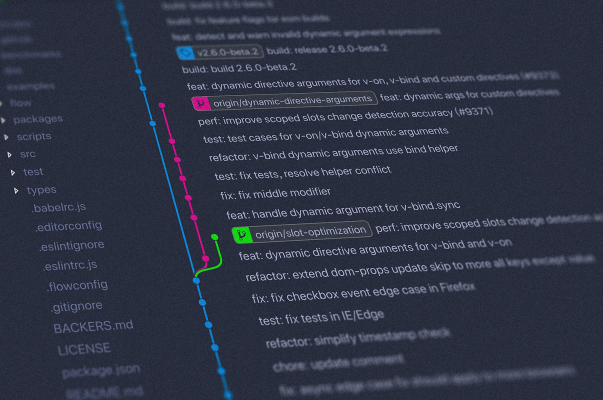
One of the essential considerations of a Landing Zone is the tooling decision for your version control and pipelines. This topic often attracts passionate discussions from engineers.
Back in the day, when mobile cameras were not yet in vogue and SLRs were the ultimate tools of the trade, I used to get this question constantly: “Which SLR should I buy?” My standard answer was always, “The one that fits your budget and which you will use to its full potential.” When it comes to choosing your CI/CD toolchain, my answer is no different.
My standard set of parameters to decide tooling is answered by just three questions:
- What is the set of operations you need to perform and the features you need?
- What is your budget?
- How much bandwidth do you have to manage repos and pipelines?
GitHub and GitLab tend to be popular choices and you can’t go wrong with either. Atlassian tools were once an option but they seem to be losing the race. Jenkins, although still widely used, is no longer the primary choice. Tools like CircleCI and BuildKite frequently come up in discussions. Azure DevOps offers a suite of integrated toolsets that work seamlessly together. AWS has compelling options in its Code* tools. Choosing a pipeline that is tightly integrated with your source code is a preferred path - if you are using GitHub, use GitHub Actions; if you are using GitLab, use GitLab CI/CD.
I have worked with nearly every versioning and pipeline tool on the market, and I can confidently say that whichever tool you select will meet 99% of your needs.
Infrastructure Pipeline
This is often an overlooked aspect of the Landing Zone, and some might even argue it is not part of a Landing Zone setup. However, I beg to differ. It is much faster to build infrastructure using code than to do it manually. To deploy infrastructure quickly, error-free, and with confidence, you need an efficient Infrastructure as Code (IaC) pipeline that you can replicate across your infrastructure stack.
Whatever your choice of IaC - whether it’s Terraform, Bicep, CDK, CloudFormation, or another tool - a reliable IaC pipeline will help you spin up environments quickly and easily promote your infrastructure to pre-production and production environments.
If you have to think twice before destroying your infrastructure stack. If you are constantly worried about breaking the production environment or constantly playing catch-up with drift - your infrastructure pipeline is not up to the mark.
Application Pipeline
Often, application deployment is confused with application infrastructure deployment. However, these two are different. Your infrastructure would probably not change as frequently as your code, so it makes sense to have the pipelines separate as well. While teams sometimes keep infrastructure and workload/business logic code together, I have always found it cleaner to keep them apart.
When building your pipelines - infrastructure or workload - a couple of key parameters you need to decide on are your environments and branching strategy. While there is no silver bullet solution, it is essential to understand how your code will be certified and promoted to production.
Backup and DR

Yes, not the most interesting topic when you’re getting started or when everything is going great. But understand this: hope is not a plan. We all hope that everything works as expected and that we never have to execute a disaster recovery plan. However, anything that can go wrong will eventually go wrong.
It’s essential to identify the critical components of your solution that you cannot afford to lose, and to have a plan in place to protect them. This plan should include a restoration strategy - even a rudimentary one - in case of a malicious or accidental incident.
Control Tower provides integration with AWS Backup for setting up backups of various AWS services, and it can be something you set up as part of your Landing Zone. For any critical service not covered by AWS Backup, you should ideally have a disaster recovery (DR) plan, even if it’s basic.
Documentation

Are we talking about documentation as part of the Landing Zone? Hear me out. Teams are dynamic these days, with cross-functional roles that change more frequently than they did in the past. Even if you are a one-person show, some of the design decisions you make now will be forgotten a couple of months down the line. It’s very important to ensure anyone new joining the team has context on the what, why, and how.
Whether it’s the Landing Zone components, customisations, base infrastructure, networking decisions, or pipelines - document them now while everything is fresh, rather than treating it as tech debt.
Yes, you have been using AI copilots for coding. Have you used them for documentation? Try it. Today.
Cost Control

This topic is not “last but not least” - it’s more like “we saved the best for last.” Yes, your cloud bill is important. From the solo tinkerer who forgets to tear down an experimental stack only to be hit with a $2,000 AWS bill (embarrassingly, yours truly) to large enterprises burning through their cloud budget like a hot knife through butter due to poor configurations - rationalising cost is critical for any organisation. It can be the deciding factor between a sustainable operation and one that folds for good. Such is the importance of this aspect that it’s one of the pillars of the AWS Well-Architected Framework.
Here are a few things you can set up in AWS Control Tower to keep your cloud spend under control:
- AWS Budgets - Set budget thresholds and receive alerts when you’re approaching or exceeding defined limits.
- Cost Anomaly Detection - Automatically flag unusual spending patterns so you can catch runaway resources before they cost you.
- Cost and Usage Reports (CUR) - Granular visibility into where every dollar is going.
- Tagging Policies and Enforcement - Use AWS Organisations and Service Control Policies (SCPs) to enforce tagging standards.
- Automated Resource Cleanup Workflows - Set lifecycle policies and other AWS solutions to shut down or destroy resources when not in use.
What’s next
In the next parts of this series I will drill down on the various aspects of the Landing Zone and how you can implement them in AWS.
Have you worked with a Landing Zone or AWS Control Tower before? What has been your experience? I would love to hear from you.